FeendingGuide 1
First steps with Feending: from the spreadsheet to a living community
6 min read

Written by Borja MartosCMO & Co-Founder
The first steps with Feending are four, over two weeks: clean the base before importing it, create three to six groups before inviting anyone, launch a small first event with a concrete reason, and invite the 50 most active members first. Almost every community platform that gets abandoned fails in those two weeks, not because of the tool.
The platform is signed. You have the login, the logo is in place, and there is a spreadsheet with 3,000 rows that has spent four years growing columns. And a familiar feeling: that if you get this wrong now, you will be dragging it around for years.
It is a reasonable feeling. What usually goes wrong is dumping the base in as-is, switching on every module at once and inviting everyone on the same day. Three weeks later there are 40 people inside, nobody knows what it is for, and the team goes back to email. This guide is the order that avoids that, drawn from what we have seen work across more than 70 communities in 7 countries.
What should you do in the first week with Feending?
Clean the base and decide the groups. No inviting yet: a member who joins and sees an empty platform leaves and doesn't come back.
Days 1-2. Clean before importing, not after
The temptation is to upload the whole spreadsheet and sort it out inside. Don't. What comes in messy stays messy, and it multiplies: every group, every segment and every mailing inherits the mess.
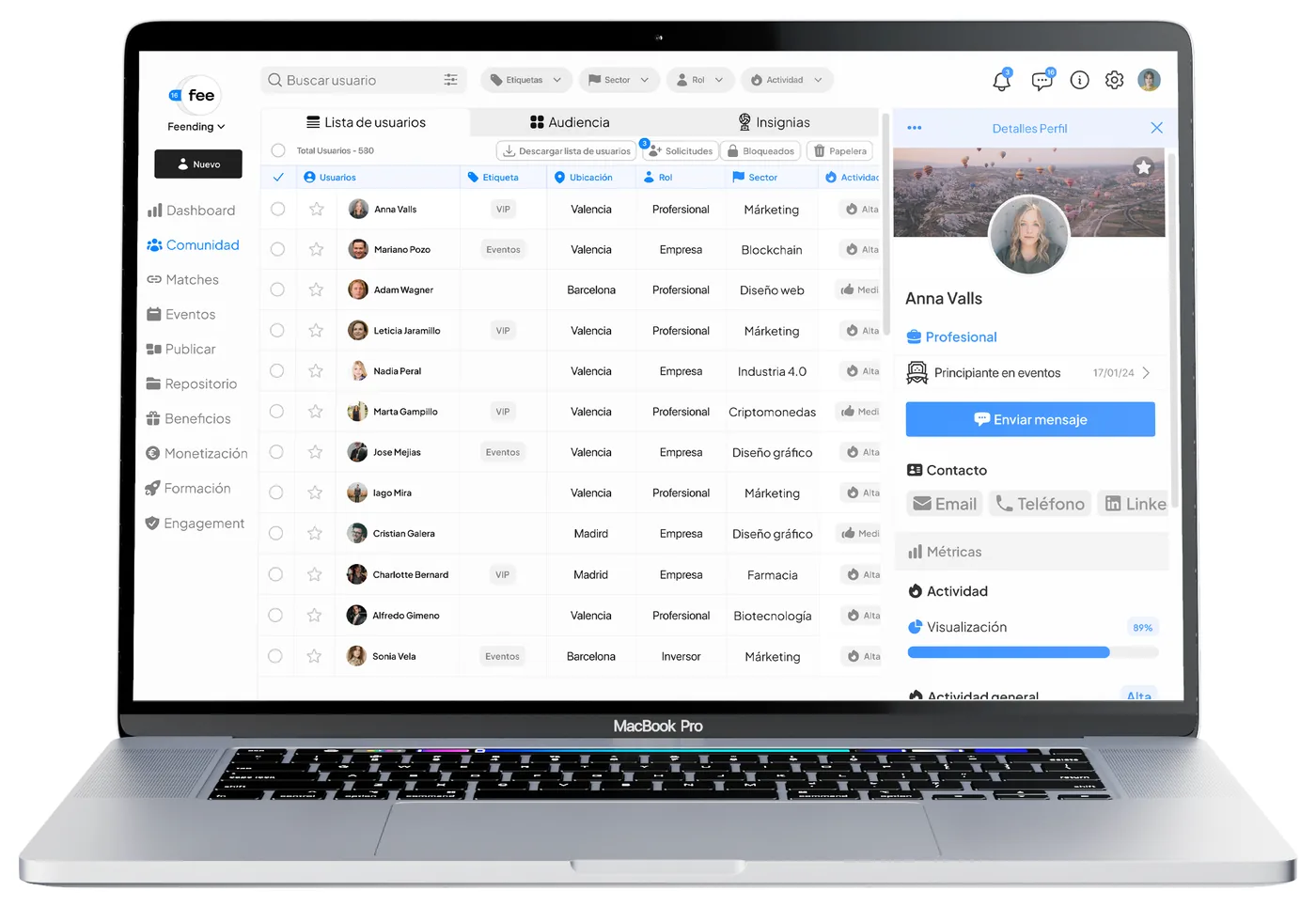
Before importing, decide which fields you will genuinely use over the next six months. Usually five or six: name, email, class year or year of joining, current company, city, and a "type" field (alumni, member, partner). Everything else — the phone number from 2019, the "notes" column — stays out. If it is ever needed, it gets added.
Import those fields and only those. A small, clean base is more useful than a large, confusing one, because it is the one you will be able to segment. UCAM Alumni went from data spread across several tools to segmenting five times faster, and the real work was in this clean-up, not in the import.
Days 3-4. Decide the groups before inviting anyone
A member who joins and sees "Class of 2015", "Healthcare" and "Madrid" finds people like them in ten seconds. Create between three and six groups, no more. The ones that almost always work are by class or cohort, by sector or field and by city: the three questions anyone asks when walking into a room.
Each group needs at least one person who is already inside and who writes something on day one. Find them yourself, before opening. A group with one message is a group; an empty group is a warning sign.
Day 5. Set up communication, but don't send it yet
Prepare the welcome template and the first newsletter in the communication module, with the tone and signature you intend to keep. What matters is not what it says: it is that the first communication arrives after there is something inside worth seeing. If the welcome email leads to an empty platform, you have spent the first impression.
What should you do in the second week?
Create a small first event with a concrete reason, personally invite the 50 most active members and, at the end of the week, write down three numbers that will be your starting point.
Days 6-8. A small event, soon, with a reason
The first event is not for everyone. It is for 20 to 50 people, in two or three weeks, with a concrete reason to meet: a class turning ten, a sector with something to discuss, a city group that has never got together.
Create it in the events module with registration open from day one. It is the excuse that gets people in: nobody creates an account to "have a look at the community", but everyone creates one to sign up for something. And leave time: a 90-minute event with 80 minutes of programme produces zero connections. Sixty of content, thirty of conversation, minimum.
Days 9-10. Invite 50, not 3,000
The first 50 are the ones who will decide whether the platform has life in it or not. Choose them: people who already take part, who answer emails, who come to events, who recommend you. Invite them personally, with the reason for the event up front, and ask them for one specific thing: complete their profile and write in their group.
With 50 active people inside, the platform has something to show. Then — and not before — you open the invitation to everyone else.
Days 11-14. Look at the data, not the feeling
At the end of the second week, check three numbers in the analytics: how many have joined, how many did something after joining, and how many signed up for the event. All three will be lower than you expected. That is normal. Write them down: they are your starting point, and in three months you will want to know where you came from. The engagement guide explains what to do with them from there.
What are the most common mistakes when starting with a community platform?
Switching on every module at once, communicating the platform instead of what happens on it, and measuring the migration by the number of imported rows.
Switching on every module at once. Events, groups, opportunities, memberships, AI networking. Each is useful; all five at once is noise. Start with events and groups. Add opportunities when there is someone to post them, and networking when there are enough profiles for the recommendations to make sense.
Communicating the platform instead of what happens on it. "We now have a platform" interests nobody. "Your class is meeting on Thursday the 14th" interests everyone in that class. Always the reason before the tool.
Measuring the migration by the number of imported rows. 3,000 rows imported is a spreadsheet metric. 50 people who have logged in a second time is a community metric. Measure the second one.
Two weeks later you will have a clean base, three groups with life in them, an event with registrations and 50 people who already know what this is for. It is not a community yet. But it is the first place where one has been able to start. Impact Social Cup started exactly like this, with the usual scattered channels, and today runs its events twice as efficiently from a single place.
Frequently asked questions
How long does it take to implement Feending?
The two weeks described in this guide are enough to have the base imported, the groups created and the first event open. For the community to be alive — members taking part without being asked — takes three to six months of activation.
Do you have to import the whole database from the start?
No, and it is better not to. Import only the fields you will use over the next six months — usually five or six — and add the rest when needed. A small, clean base can be segmented; a large, messy one cannot.
Which Feending modules should be switched on first?
Events and groups. They give members a reason to join and a place to find each other. Opportunities, memberships and AI networking come later, once there is enough activity and enough profiles for them to add value.
How many people should be invited at the start?
Around 50 chosen people: the ones who already take part, reply and come to events. Once they have completed their profile and written in their group, the platform has something to show and opens to everyone else.
Does Feending integrate with the tools we already use?
Yes. The platform connects with the management and communication systems an organisation typically runs; the detail on connectors and compliance is on the integrations and security page.
Want to see how it applies to your community?
Tell us what your community looks like and we will show you how similar ones do it with Feending.